Early-Game Walkthrough | Taking Over the Venue to First Expansion
From the opening to venue setup, recipe collection, hiring staff and the first venue expansion.
1. Starting the game and taking over the venue
Mission Noodle Bar Introduction Walkthrough
- Objective
- Noodle Bar Introduction
- Location
- Lowtown → Meridian Market
At the start of the game, talk to Ava in your Lowtown apartment.
1Finish talking to Ava
Advance the conversation with Ava at home. Choose to leave to start the objective of travelling to the venue.
2Take a taxi
Leave your apartment and go downstairs. Follow the objective marker at the top of the screen to find the taxi. Interact with it, choose Meridian Market, then follow the venue marker after arriving.
3Talk to Thaddeus
Follow the Noodle Bar marker and speak to Thaddeus Carminus outside the venue. Taking over the venue also gives you tables and chairs.
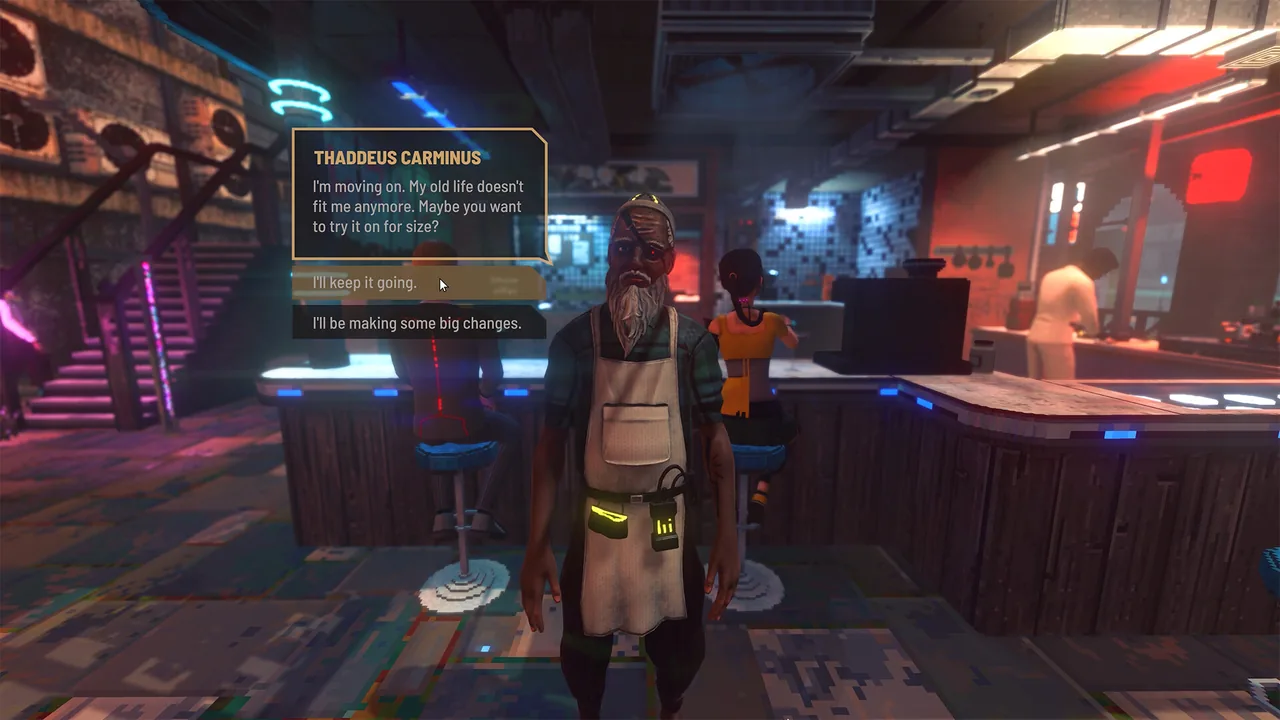
When the furniture placement objective appears, continue with venue setup.
2. Placing furniture and restocking
- Objective
- Noodle Bar Introduction
- Location
- Meridian Market / Ramen Noir
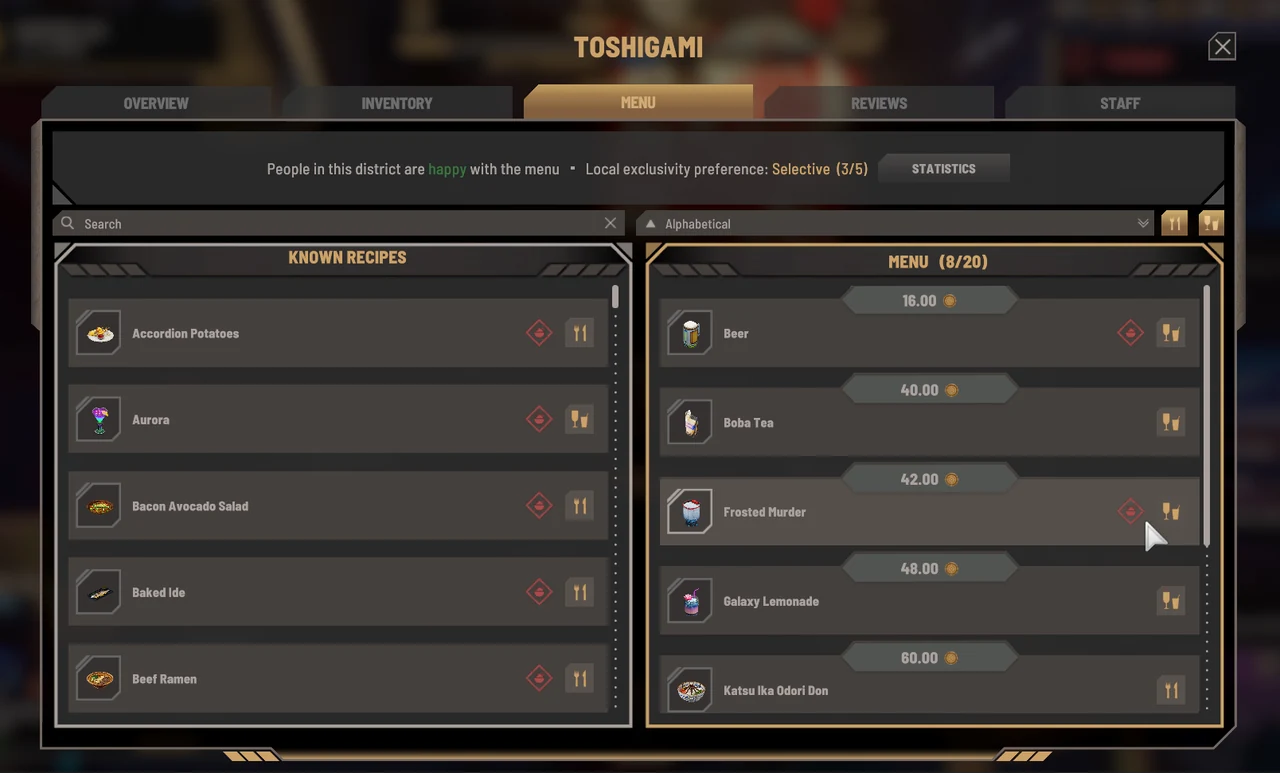
After taking over Ramen Noir from Thaddeus. The menu lists dishes sold at a venue; add learned recipes separately for each venue. Personal belongings and venue ingredient stock are also managed separately.
4Set up seating
Place 2 tables and 4 chairs in Ramen Noir. Position chairs near tables and leave space for customers to walk through.
Controls and steps
- Enter the target venue or room and open furniture placement mode.
- Select the required type from your belongings or the furniture available for the request, then choose a position and place it.
Check:Close placement mode. Check that the required furniture remains in the room and review the objective in the Journal.
5Add a dish
Add Chicken Noodle Soup as the venue's first menu item.
Controls and steps
- Interact with the venue panel inside the venue and open the menu.
- Select the recipe for the dish or drink, then choose Add to Menu.
Check:Registration is complete when the item appears in that venue's menu list. Learning the recipe alone does not add it.
6Talk to the cook and buy ingredients
After talking to Banor, open the Shopping List to check shortages. The default PC key is L. Buy onions, ramen noodles and chicken from the market merchants' purchase screens. If you changed controls, use the key assigned to Shopping List.
7Move ingredients to venue stock
Put at least 3 onions, 3 ramen noodles and 3 chicken into venue stock.
Controls and steps
- Interact with Ramen Noir's fridge or storage furniture.
- Select the ingredients in your personal inventory and transfer the required quantity into venue stock.
Check:Check the quantity on the venue side after transferring. Personal belongings and ingredients available for venue cooking are separate.
Talk to Banor after restocking. Next, collect recipes from other venues.
3. Collecting recipes and hiring staff
- Objective
- Noodle Bar Introduction
- Location
- Meridian Market
After restocking, Banor explains recipes from other venues. Learning a recipe and adding it to the venue's menu are separate actions. A learned recipe is not sold automatically.
8Talk to three owners
Talk to Marius Mitchell, Nola Berg and Dagmar Fitz. Players report receiving the Beer recipe from Nola. Not every owner gives a recipe, and Marius's outcome can depend on dialogue choices.
9Return to Banor
Report to Banor and check the staff recruitment objective.
10Hire from the recruitment board
Assign a waiter to Ramen Noir. Schedule them to work at the same time as Banor, the cook.
Controls and steps
- Use the recruitment board, choose a candidate and hire them.
- Assign the employee to Ramen Noir and select Waiter in Staff and Work Schedule.
- Set working hours. Schedule cooks and waiters to work at the same time.
Check:Check each employee's venue, role and working hours in the venue's staff list. Hiring alone does not change an existing assignment to another venue or job.
After hiring staff, check your current objective and continue the venue expansion.

4. Venue expansion
Mission Noodle Bar Expansion Walkthrough
- Objective
- Noodle Bar Expansion
- Location
- Meridian Market / Ramen Noir
This quest begins through Banor's conversation after initial venue setup and recipe collection. Venue level measures the growth of that business; it is separate from the licence Tier needed to rent another venue.
11Serve 20 customers
Check the menu and ingredients in the venue panel, then operate while the cook and waiter are on duty. Check the Journal for a total of 20 customers served.
12Hire a manager
Assign a manager to Ramen Noir. If a venue-level requirement is displayed, raise the venue's level first.
Controls and steps
- Use the recruitment board, choose a candidate and hire them.
- Assign the employee to Ramen Noir and choose Manager in Staff and Work Schedule.
- Set working hours. Schedule cooks and waiters to work at the same time.
Check:Check each employee's venue, role and working hours in the venue's staff list. Hiring alone does not change an existing assignment to another venue or job.
13Prepare to sell drinks
Buy a drink machine from appliance merchant Tenzin Harper at the docks and install it using placement mode. Then choose a drink in the venue panel and select Add to Menu. Continue Banor's dialogue too.
14Add decorations and raise the venue level
Use placement mode to install 2 decorations and 1 plant. Check the next requirements under Venue Level and work towards level 3.
After reaching venue level 3, use the mid-game walkthrough to obtain a boat and business licences.
Next walkthrough
Mid-Game Walkthrough | Boats, Licences and Expansion